

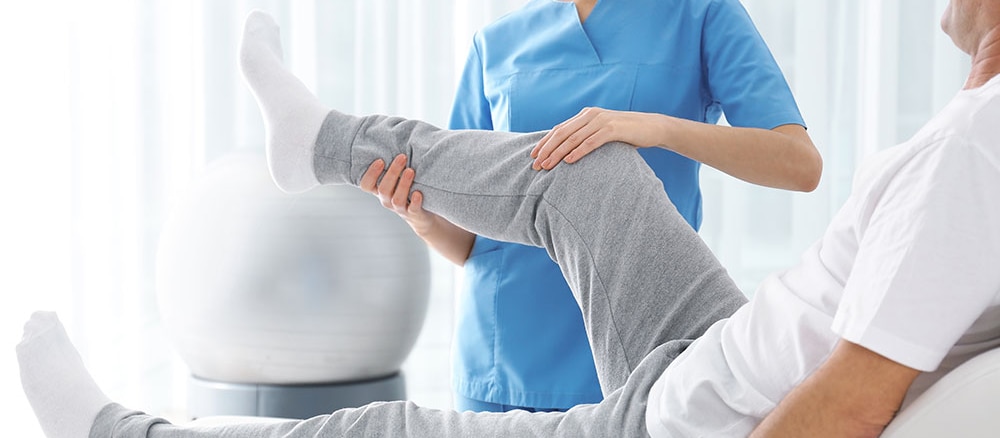



Ergonomic Advice Physiotherapy
**Ergonomic advice** focuses on adjusting the environment and daily activities to fit the individual’s needs, preventing injury, and promoting comfort and efficiency. Proper ergonomics can improve posture, reduce strain, and increase productivity, particularly for those who spend long hours sitting at desks or performing repetitive tasks. Here are some key ergonomic principles and tips for various settings:### General Ergonomic Principles:1. **Neutral Posture**: Maintain a posture where your body is aligned, and joints are in a neutral, natural position (e.g., not bent or twisted). This helps reduce stress on muscles, tendons, and joints.2. **Frequent Movement**: Avoid staying in one position for too long. Regular breaks and movement help prevent stiffness and strain.3. **Supportive Furniture**: Use furniture that supports proper posture, such as chairs with adjustable height and lumbar support, desks that are at an appropriate height, and monitors at eye level.4. **Proper Alignment**: Ensure that your body is in alignment with the task you’re performing (e.g., the keyboard and mouse should be at a height that allows your arms to remain relaxed).5. **Task-Specific Adjustments**: Ergonomics should be customized to suit specific tasks, such as working on a computer, lifting objects, or standing for extended periods.### **Ergonomic Advice for the Office:**#### 1. **Chair Setup:** - **Seat Height**: Adjust your chair so that your feet are flat on the floor, with your knees at a 90-degree angle (or slightly lower). If your chair doesn't go low enough, use a footrest. - **Back Support**: Ensure your chair provides lumbar support to support the lower back's natural curve. The lower back should be gently supported while sitting upright. - **Seat Depth**: The seat depth should allow you to sit back against the backrest, with 2-4 inches between the edge of the seat and the back of your knees to prevent pressure on your thighs.#### 2. **Desk Setup:** - **Desk Height**: Your desk should be at a height that allows your elbows to be at a 90-degree angle when typing or using a mouse. If the desk is too high or low, you may need to adjust your chair height or use a keyboard and mouse tray. - **Keyboard and Mouse Position**: Keep the keyboard and mouse at elbow height and within easy reach. Your forearms should be parallel to the floor when typing. The mouse should be close to the keyboard, and avoid overreaching. - **Monitor Height**: The monitor should be at eye level, about 20–30 inches away, with the top of the screen at or slightly below eye level. This helps to avoid neck strain.#### 3. **Posture:** - **Sit Back in Your Chair**: Sit fully back in your chair with your back supported by the backrest. This will keep your spine in a neutral position. - **Feet Placement**: Keep your feet flat on the floor (or on a footrest) to avoid pressure on your lower back. - **Posture Check**: Aim to sit with your shoulders relaxed, elbows close to your body, and wrists straight (avoid bending them while typing).#### 4. **Computer Use:** - **Breaks**: Follow the 20-20-20 rule—every 20 minutes, take a 20-second break and look at something 20 feet away to rest your eyes. - **Blink Often**: Remember to blink frequently to keep your eyes moist and prevent dryness or strain. - **Adjust Screen Brightness**: Adjust the brightness of your screen to match the lighting in your workspace to reduce eye strain.### **Ergonomic Advice for Lifting:**1. **Bend Your Knees, Not Your Back**: When lifting objects, bend at the knees and hips, not your back. Keep your back straight and avoid twisting.2. **Keep the Load Close**: Hold the object close to your body while lifting, to minimize strain on your back.3. **Use Your Legs**: Engage your leg muscles when lifting rather than relying solely on your back muscles.4. **Avoid Twisting**: Always turn your body with your feet and move as a unit. Twisting can strain your back and cause injury.5. **Lift with Two Hands**: If the object is too heavy, use both hands to distribute the weight evenly and avoid uneven strain on your body.6. **Ask for Help**: If an object is too heavy or awkward to lift, ask for assistance or use lifting equipment.### **Ergonomic Advice for Standing:**1. **Alternate Positions**: If your work requires standing for long periods, alternate between standing and sitting to reduce strain.2. **Use Anti-Fatigue Mats**: If standing for long periods, use anti-fatigue mats to reduce pressure on the feet and legs.3. **Footwear**: Wear supportive, comfortable shoes with good arch support to reduce stress on your legs and lower back.4. **Footrest**: Use a footrest to shift weight periodically if standing for extended periods, helping reduce lower back and leg discomfort.### **Ergonomic Advice for Mobile Device Use:**1. **Hold Devices at Eye Level**: Avoid bending your neck to look down at your phone or tablet for extended periods. Hold the device at eye level to prevent neck strain.2. **Take Breaks**: Avoid long, uninterrupted periods of use. Take breaks every 20-30 minutes to give your eyes, wrists, and neck a rest.3. **Use Two Hands**: Use both hands to hold the device to avoid overusing one hand and straining muscles or joints.4. **Keyboard Position**: If you're typing for a long time on a phone or tablet, consider using an external keyboard to keep your wrists in a neutral position.### **Ergonomic Advice for Driving:**1. **Adjust Your Seat**: Ensure your car seat is at a proper angle so your knees are slightly lower than your hips. Keep your back supported and your arms at a comfortable angle on the steering wheel.2. **Avoid Long Periods of Sitting**: Take breaks during long drives to get out of the car, stretch, and walk around to prevent stiffness.3. **Steering Wheel Position**: The steering wheel should be at chest level, allowing you to hold it comfortably with your arms slightly bent.### **Ergonomics for Remote Work/Home Office:**1. **Create a Dedicated Workspace**: If possible, set up a dedicated office space that allows you to work ergonomically, with proper desk, chair, and lighting.2. **Use Proper Lighting**: Ensure your workspace is well-lit, avoiding glare on your screen or excessive brightness.3. **Monitor Placement**: If you’re using a laptop, consider using an external monitor to prevent neck strain. Alternatively, use a laptop stand and an external keyboard and mouse.### **Stretching and Strengthening:**1. **Regular Stretching**: Perform stretches for your neck, shoulders, back, and legs to relieve muscle tension and improve flexibility, especially if you sit or stand for long periods.2. **Strengthening Exercises**: Incorporate exercises that strengthen your core, back, and legs to support proper posture and reduce the risk of injury.3. **Movement Breaks**: Get up, walk around, or perform light stretches every 30-60 minutes to reduce stiffness and improve circulation.### Conclusion:Proper **ergonomics** is essential for maintaining good posture, reducing the risk of injury, and increasing comfort during work and daily activities. By making simple adjustments to your workspace, lifting techniques, and overall body mechanics, you can improve your overall health and well-being. Regular movement, stretching, and paying attention to posture can go a long way in preventing chronic pain and musculoskeletal disorders.
READ MORE